For organisations that receive penetration tests

Every pentest finding, until it’s fixed.

PenVanta Remediation turns the reports your testers send you, from any provider, into one record per weakness. Each gets an owner and a deadline, fixes are proved with retests, and the history is kept for years.

  • Reports from any provider
  • PenVanta Dedicated or self-hosted
  • Passkeys. No passwords.
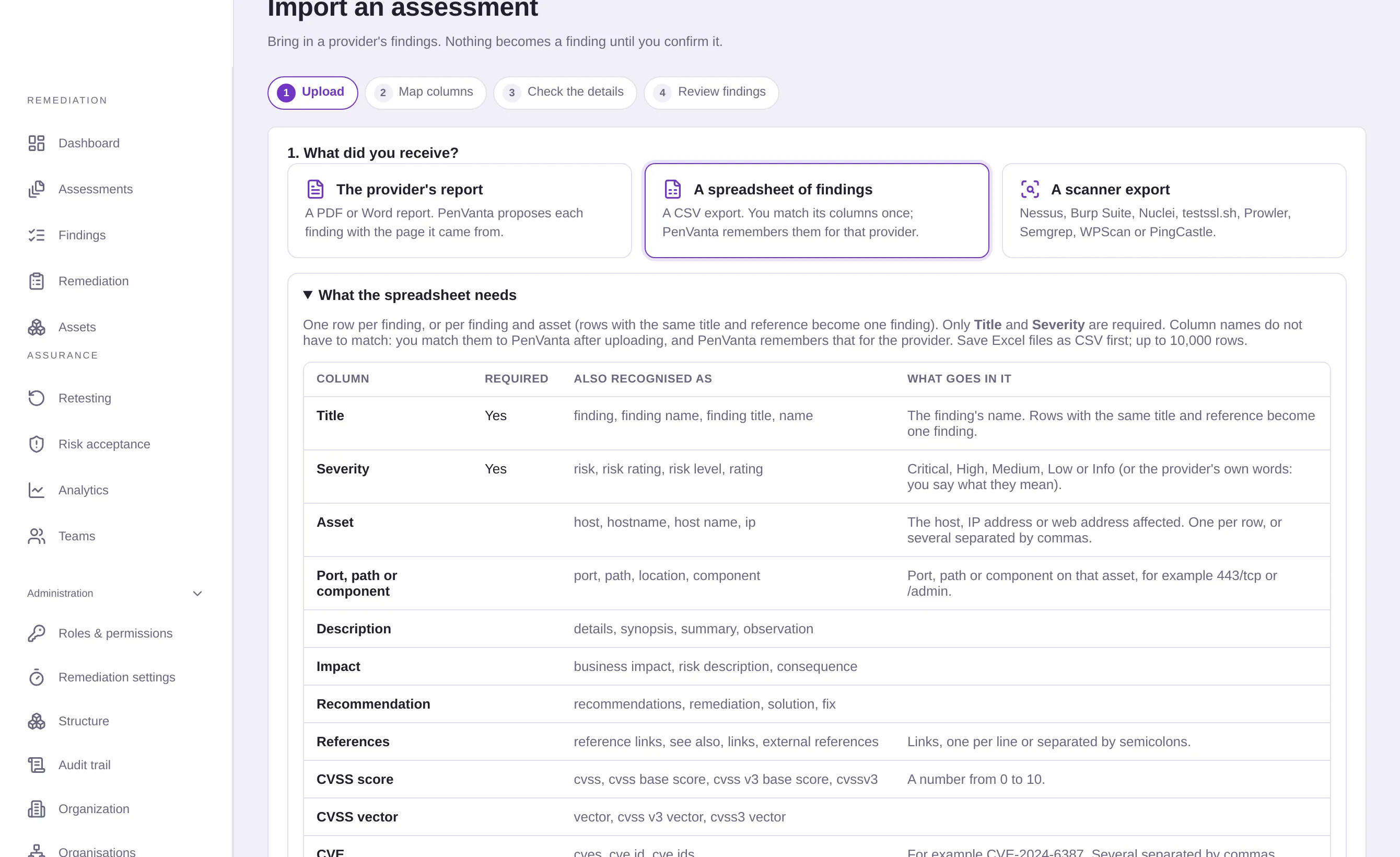
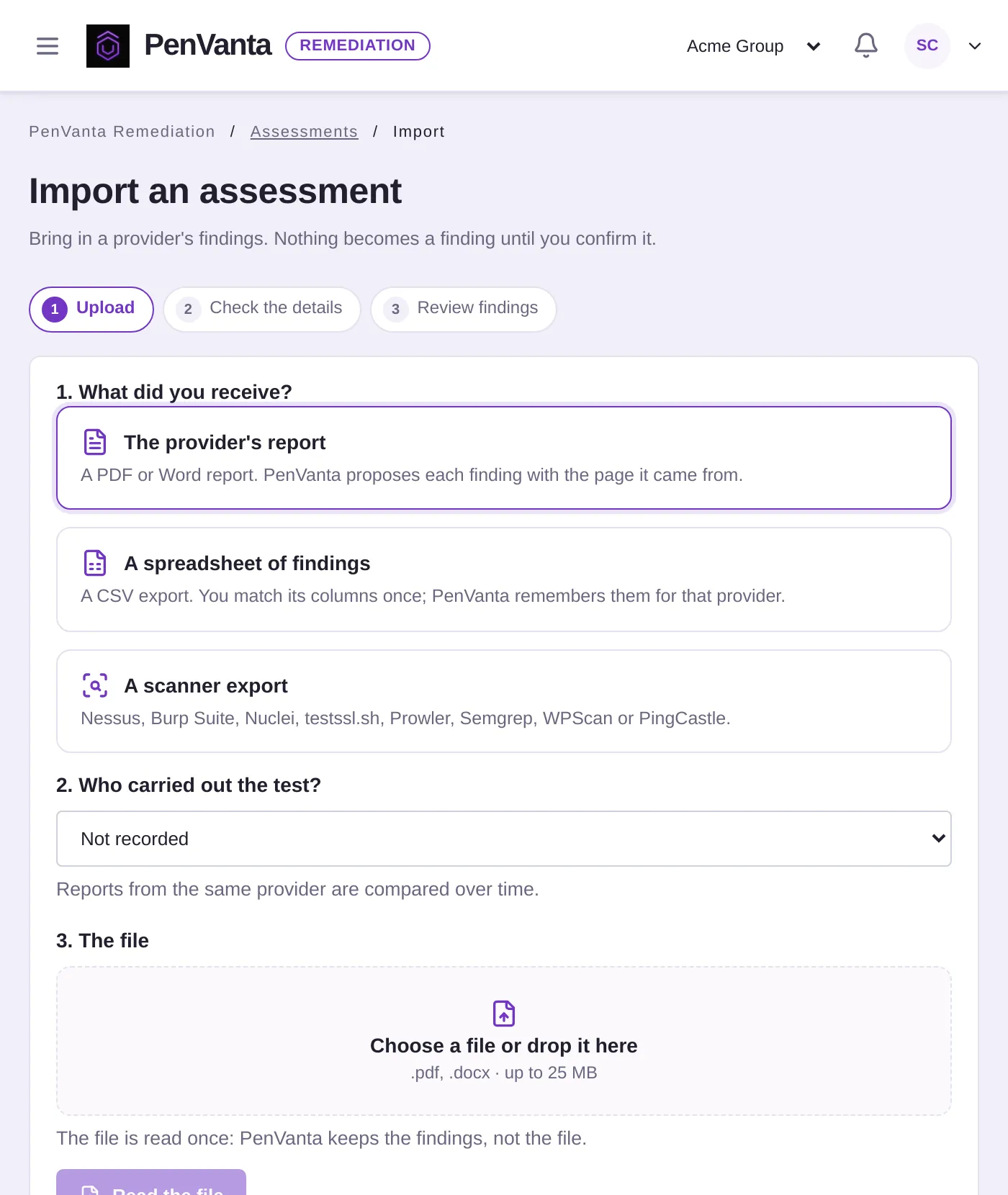
01 Import Importing an assessment: the provider's report, a spreadsheet of findings or a scanner export
02 Own
pv-r8k3t6wd.penvanta.cloud
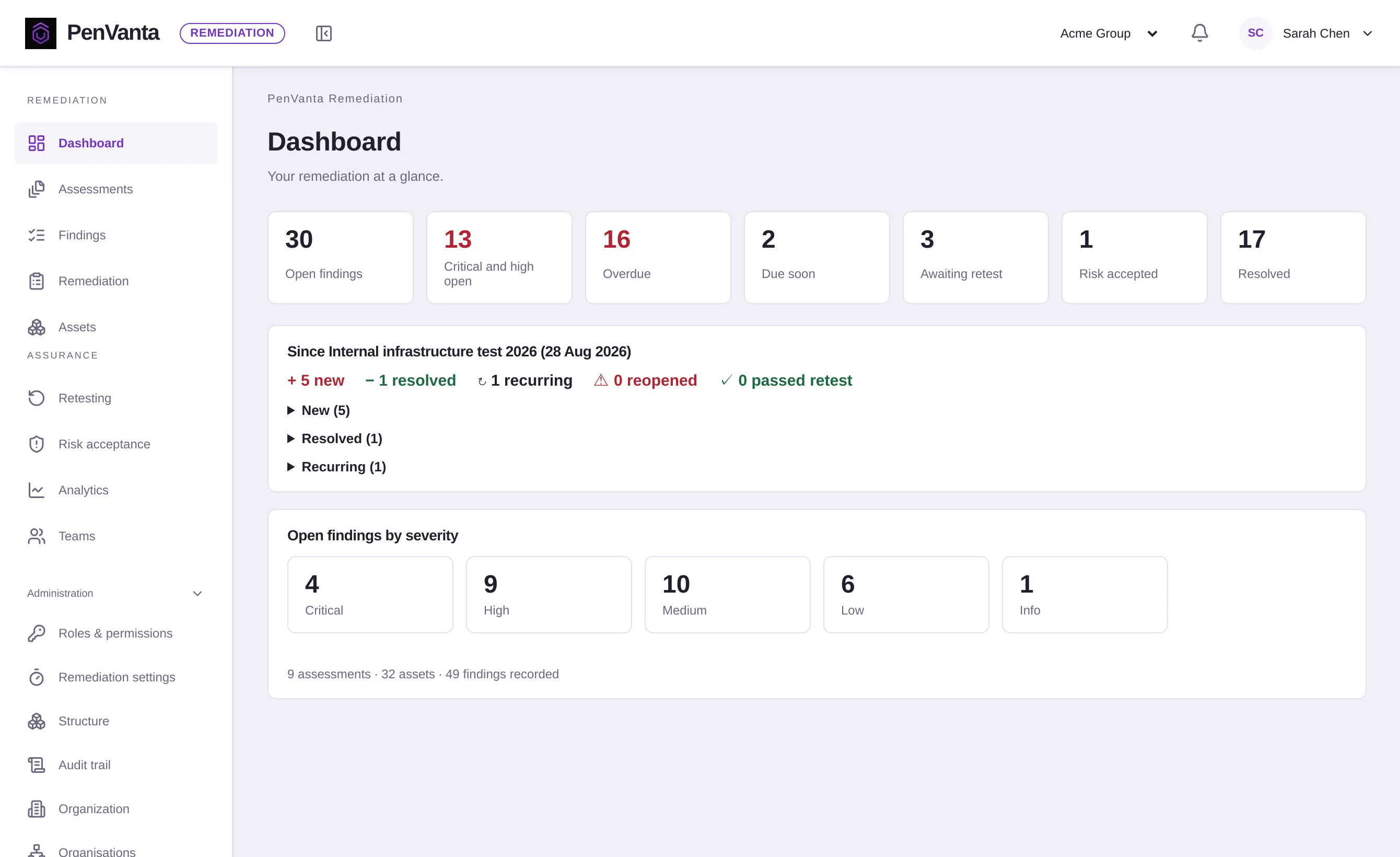
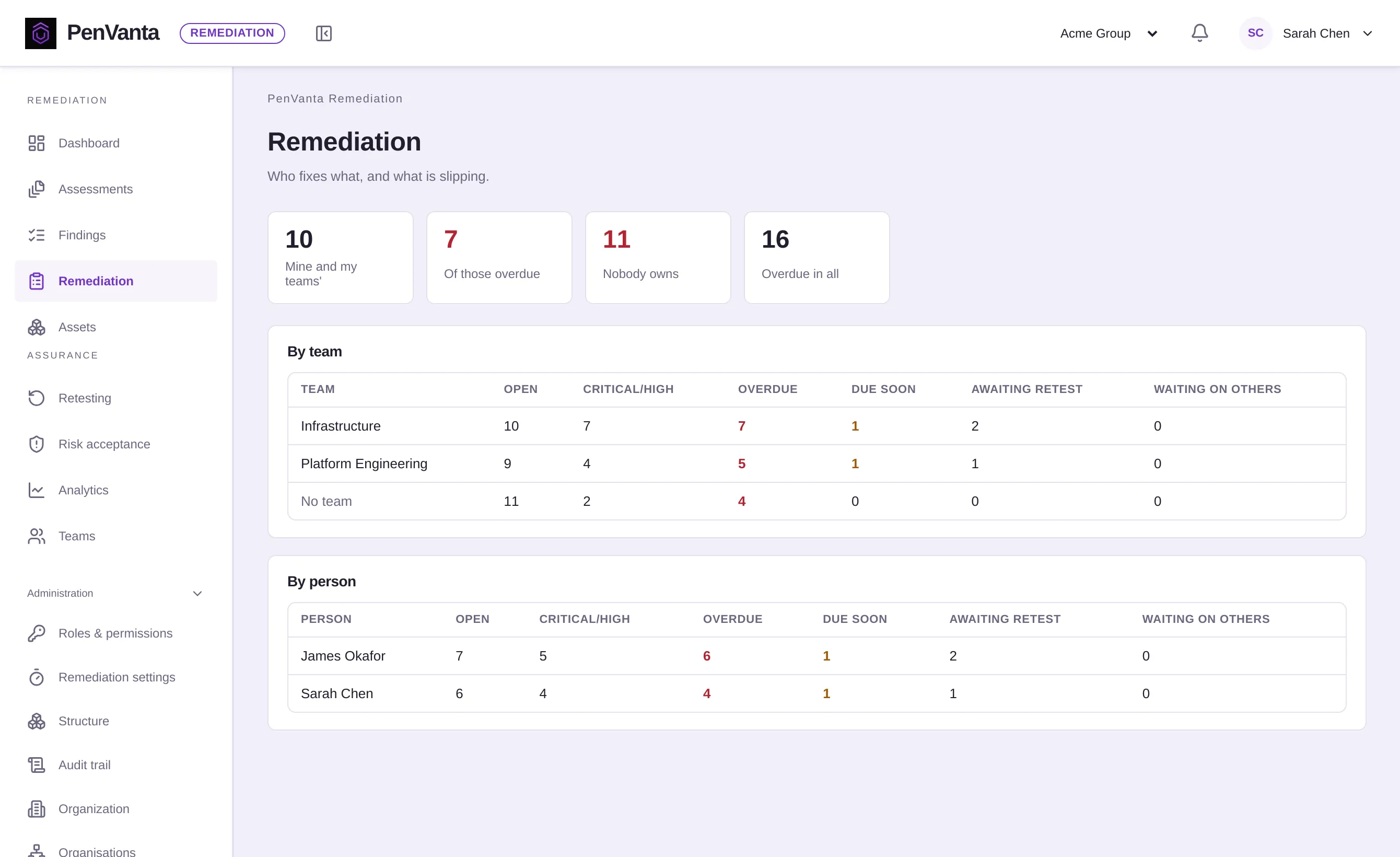
The PenVanta Remediation dashboard: open, critical and high, overdue and awaiting retest, and what changed since the last assessment
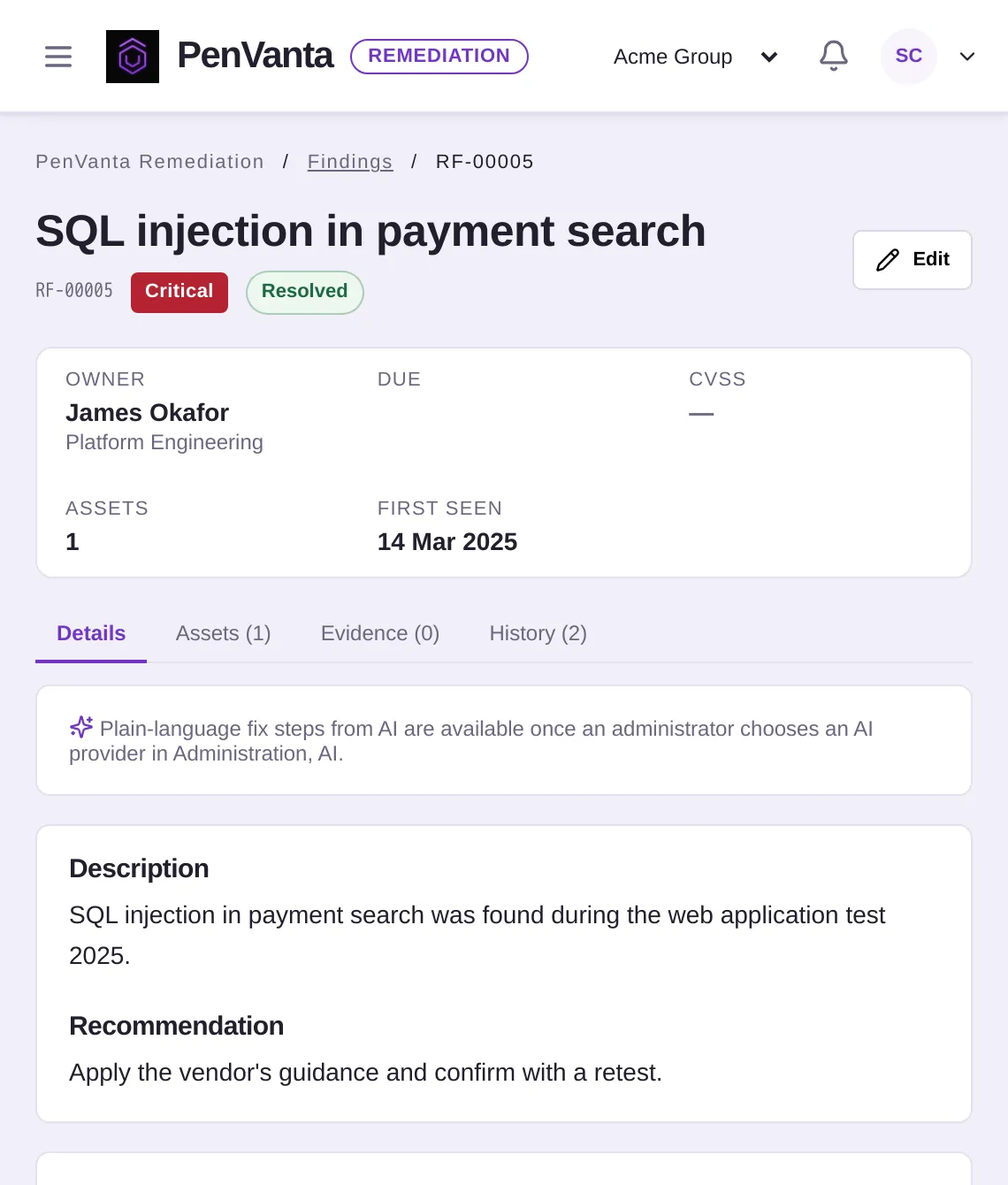
03 Fixed A resolved finding with its owner, team and first-seen date
Reads what your providers send Product names are trademarks of their owners. PenVanta imports reports and exported files; it does not run the tools.
PDF reportsWord reportsCSV exportsNessusBurp SuiteNucleitestssl.shProwlerSemgrepWPScanPingCastle
Why teams switch

The test is over. The fixing has barely started.

A pentest report lands as a PDF. Then come the spreadsheet, the chasing, the “is this fixed?” emails, and next year the same findings again. Drag the slider.

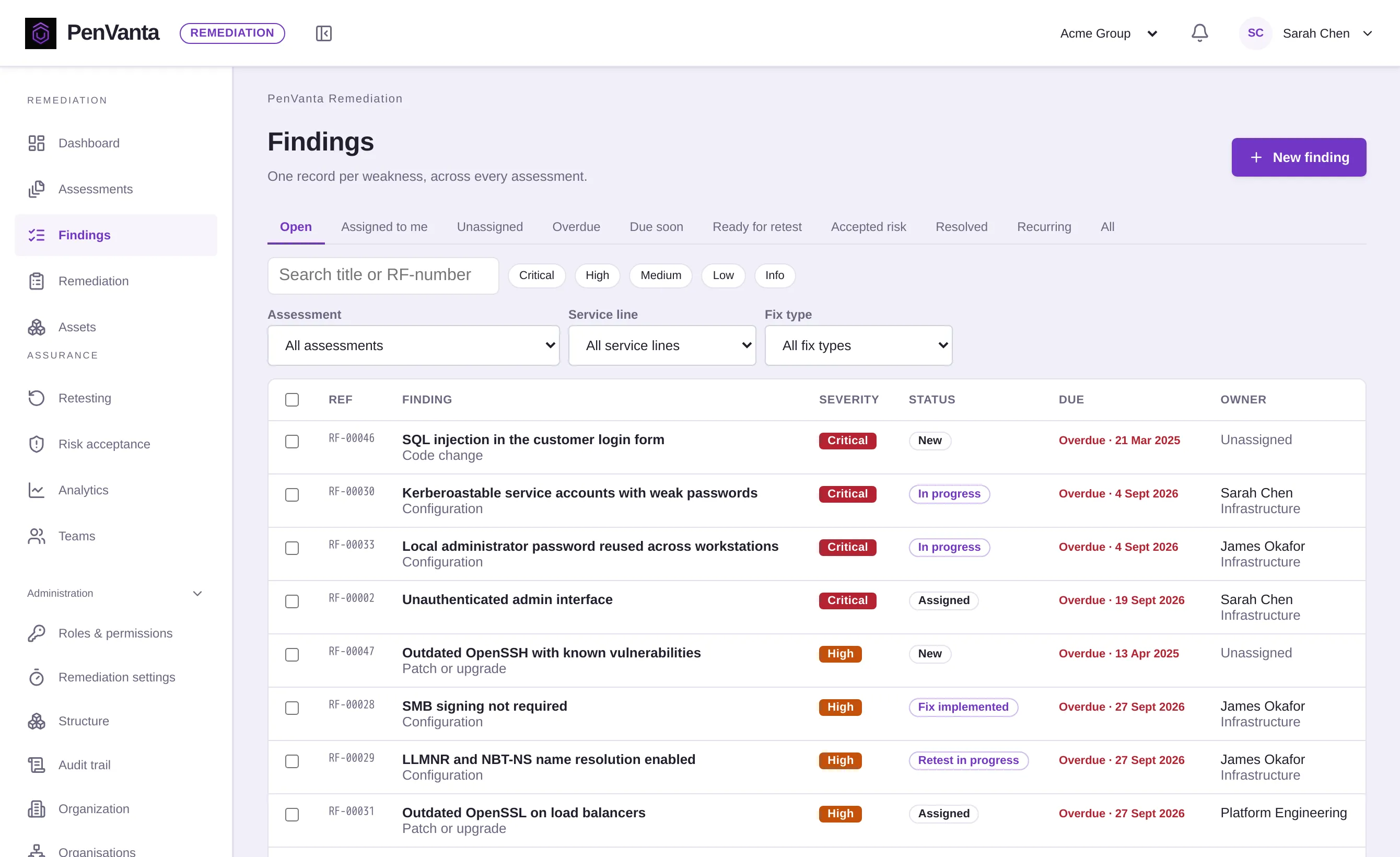
With PenVanta Open findings in PenVanta Remediation with severity, status, deadline and owner, filtered by assessment, service line and fix type
Retyping a PDF into a spreadsheet

Reports become findings

Upload the report you were sent. PenVanta proposes each finding with the page it came from, and nothing is created until someone has reviewed it.

The same issue, a new row every year

One record per weakness

When a later assessment reports it again, it joins the finding you already have, with every assessment that reported it.

“Fixed”, says the email

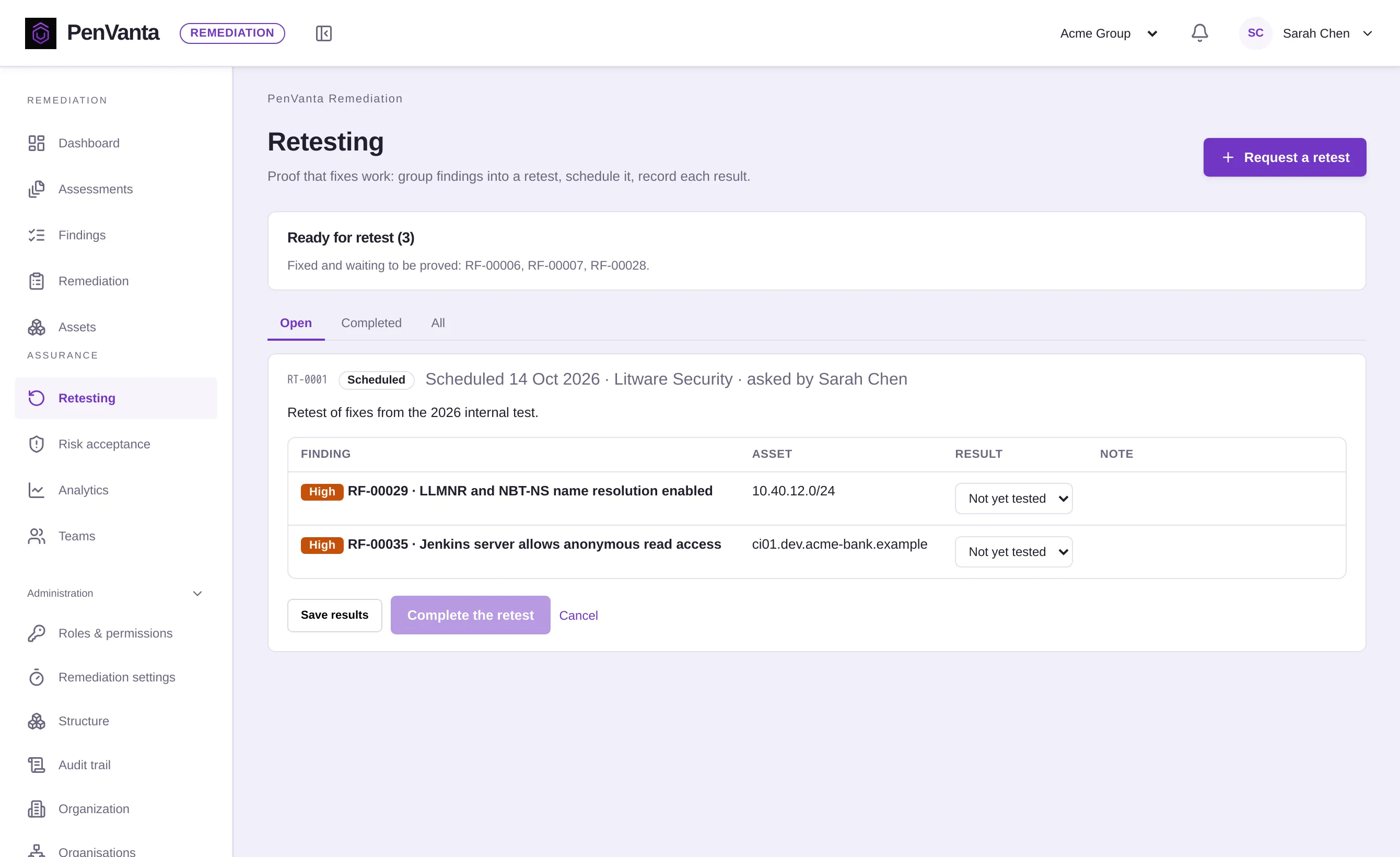
Fixed means retested

Retests record a result for each affected asset. What passes is resolved; what fails goes back to its owner.

Product tour

From the report you received to the fix you can prove.

Five steps, one record for each weakness running through them. Nothing is retyped between spreadsheets, inboxes and people.

01 · Import

Any provider’s report, as structured findings.

Upload the PDF or Word report you were sent, a CSV export or a scanner file. Page headers, summaries and appendices are left out, only host names, IP addresses and web addresses become assets, and nothing is created until you have reviewed it.

  • Column matches remembered for each provider
  • A column guide and template for spreadsheets
  • Technical evidence stays in the report, not in your records

Optional: have your chosen AI provider read a report with an unusual layout. It is off unless you choose it for that import.

pv-r8k3t6wd.penvanta.cloud
Importing an assessment: the three kinds of file, and the columns a spreadsheet of findings can have
Everything around the fix

The details a spreadsheet can’t keep.

Recurrence

The same weakness, recognised every year.

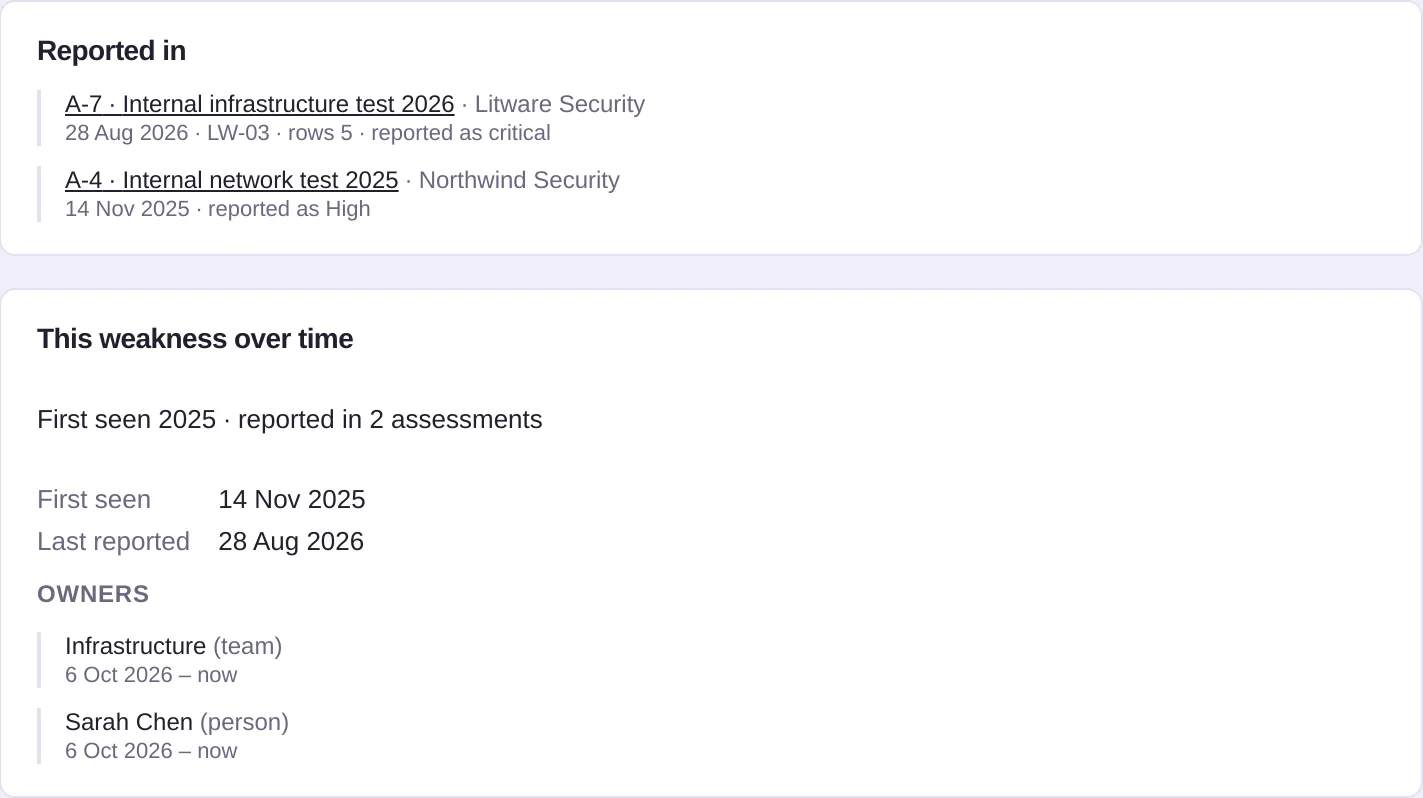
Each imported finding is compared with the ones you already have: title words, CWE, affected assets and the provider’s own reference. You confirm the match, and the finding keeps every assessment that reported it.

A finding reported in two assessments by two providers, with when it was first seen and who has owned it
Roles

Seven roles, ready to use.

From the people who fix findings to read-only auditors.

Organization AdminSecurity ManagerRemediation ManagerFinding OwnerBusiness OwnerAuditorExecutive Viewer

7roles

Risk acceptance

Accepted risk that ends on time.

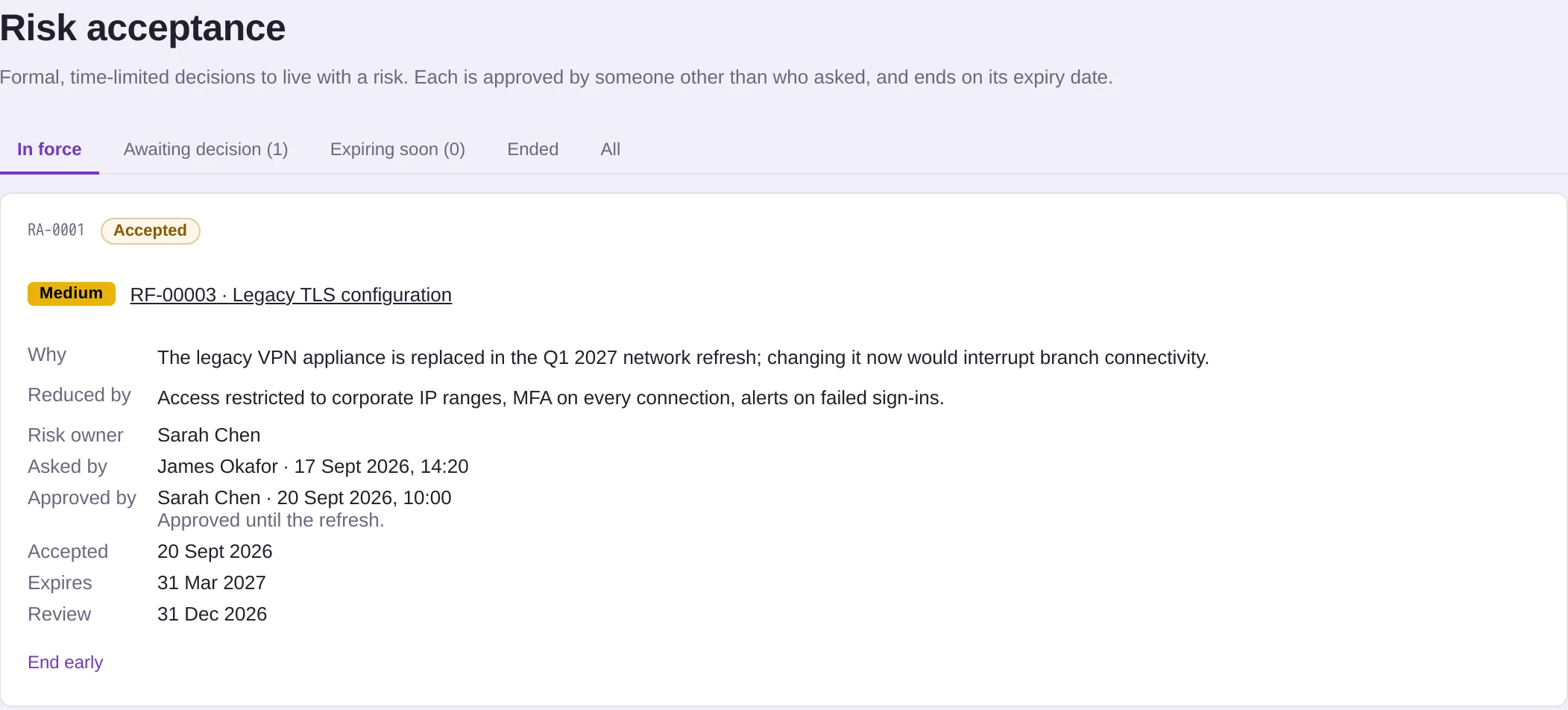
A business reason, a risk owner, compensating controls and an end date, approved by someone other than the person asking. When it ends, the finding opens again.

An accepted risk with its reason, compensating controls, approver, expiry and review date
Structure

Findings where your organisation is.

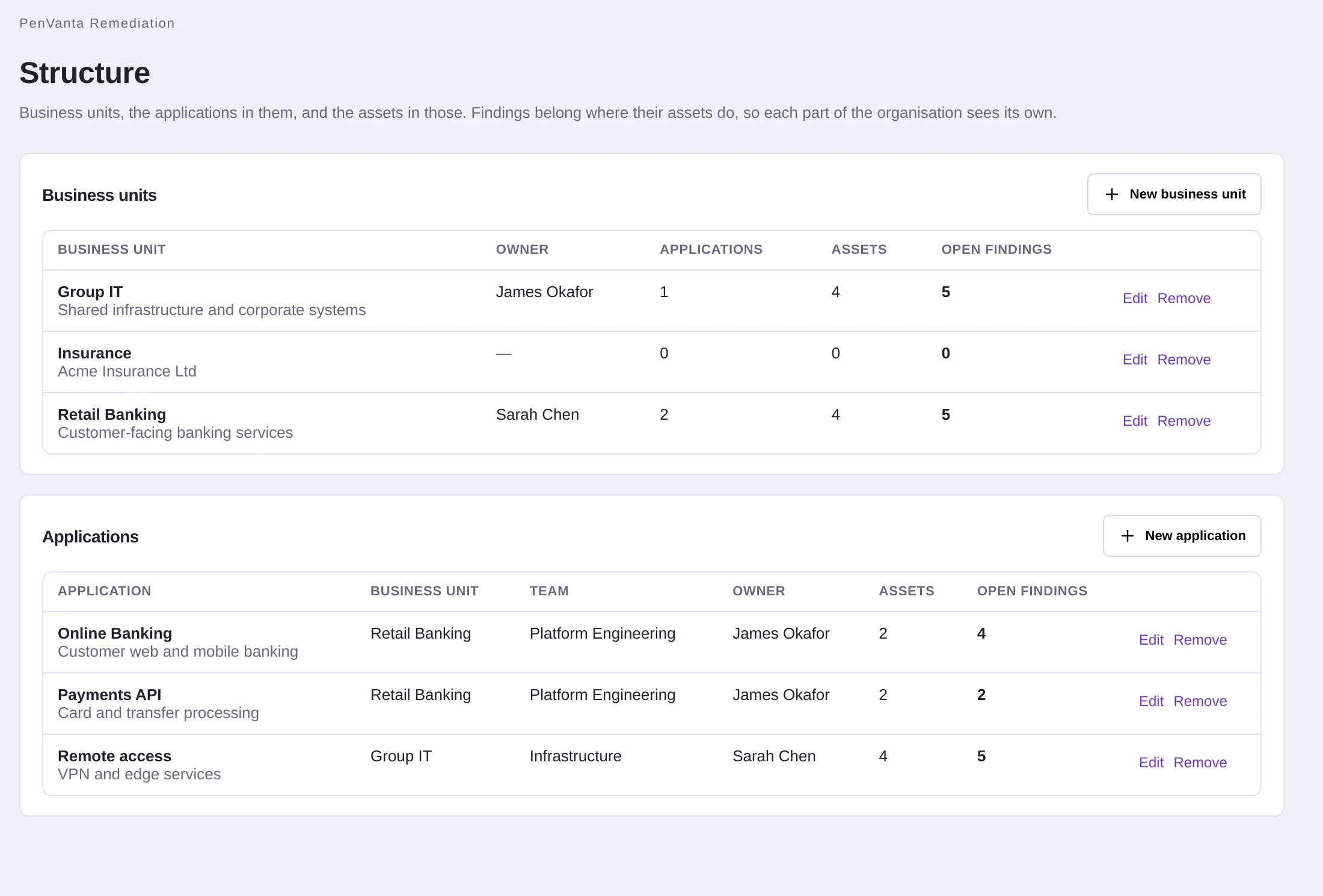
Business units and applications, each with an owner. Findings belong where their assets do, and lists and analytics can be narrowed to one.

Business units and applications with their owners and open findings
History

Every change, kept for good.

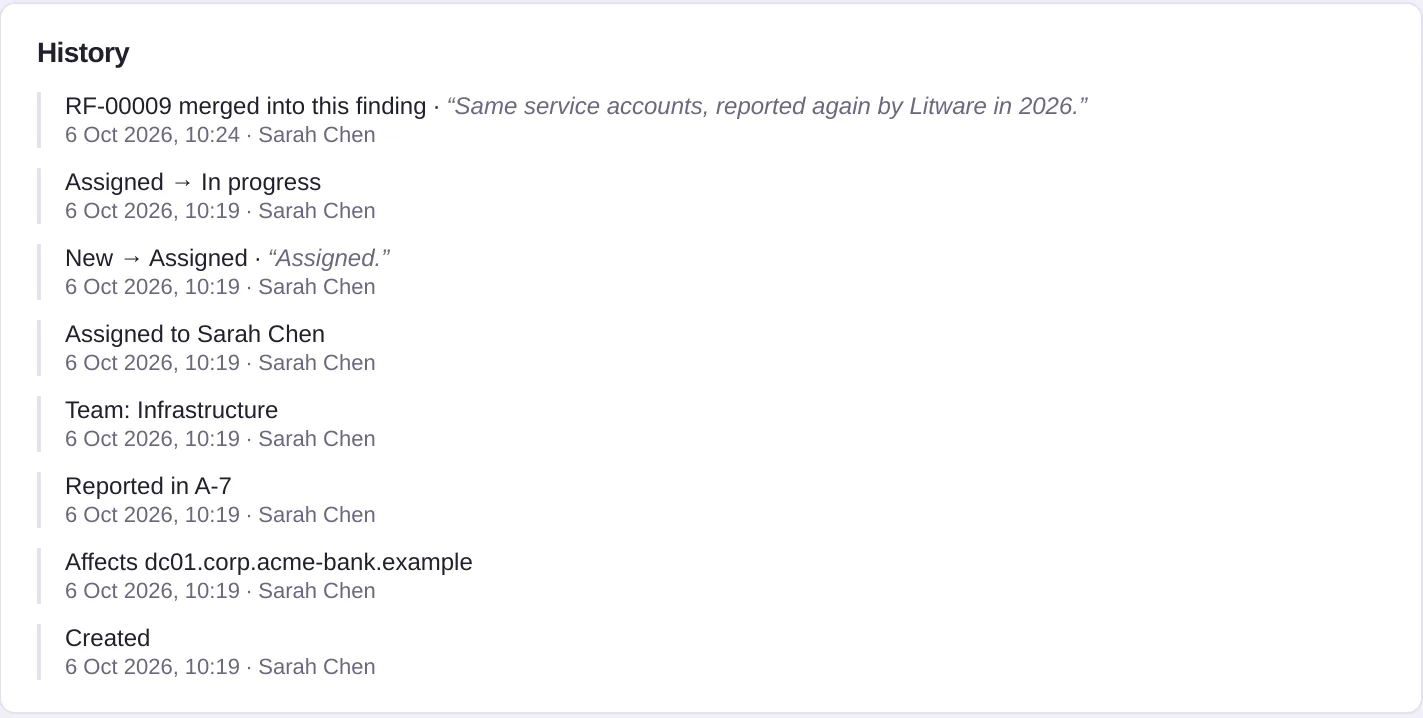
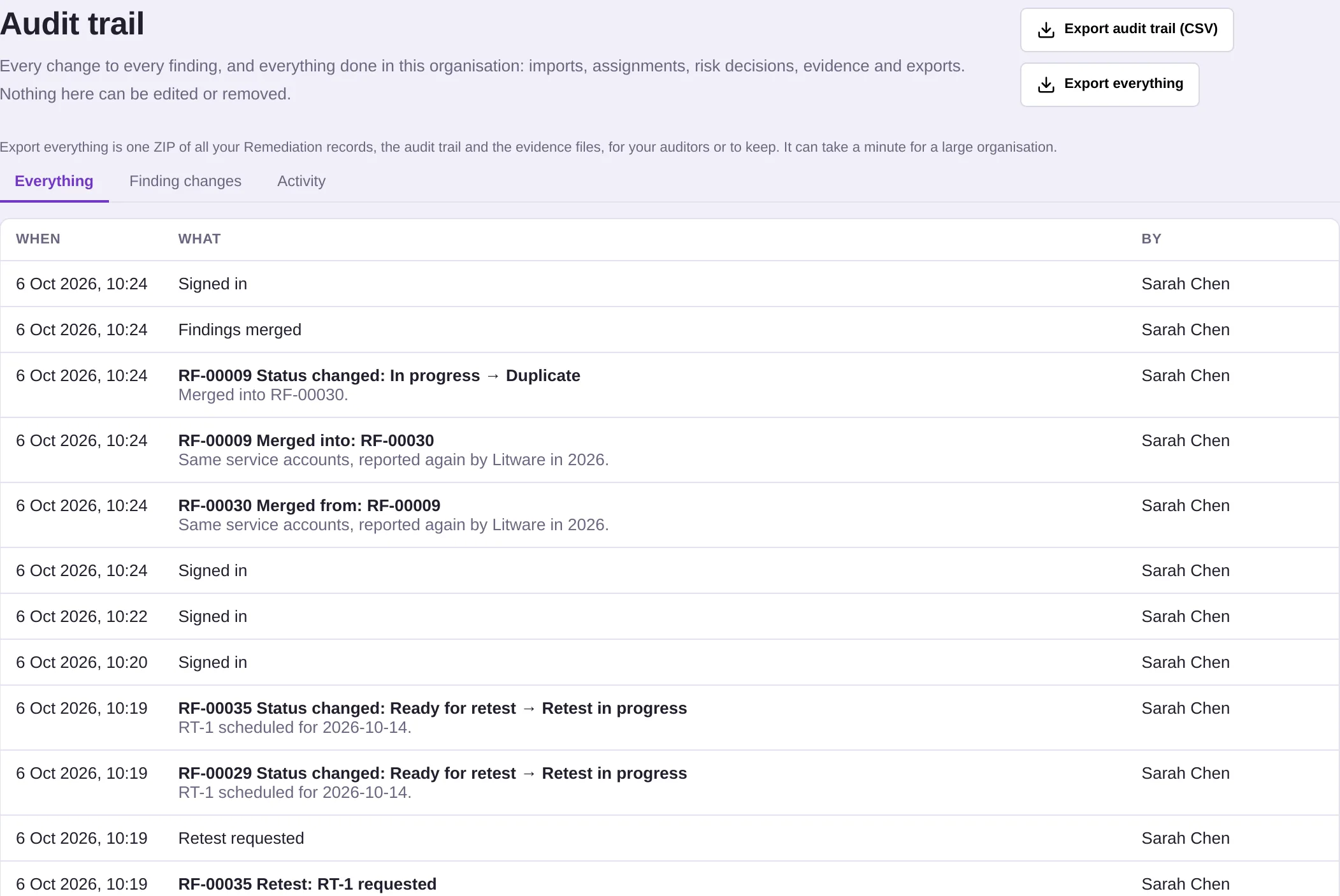
Status, owner, deadline and severity changes with who, when and why. The history cannot be edited.

A finding's history: merges, status changes and assignments with who made them
Assets

Each system’s story.

Every finding a host or application has had, assessment by assessment.

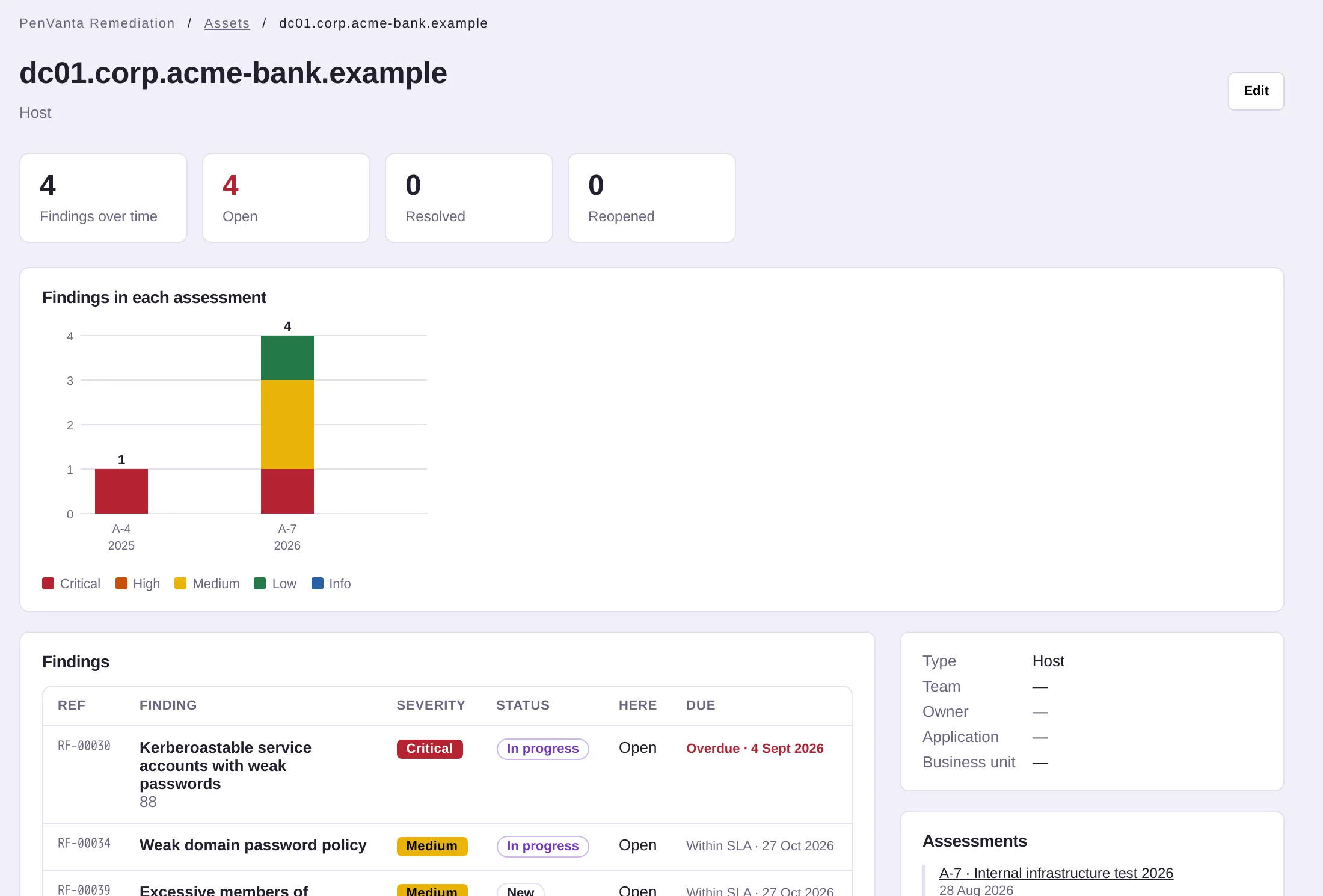
An asset with its findings in each assessment that covered it
Audit

Ready for the auditor.

Everything done in the organisation, exportable as CSV, and one archive of all your records when you need it.

The audit trail with export buttons for the trail and for everything
Security

A list of your weaknesses, kept like one.

Open pentest findings are exactly what an attacker would want to read. PenVanta keeps them on infrastructure that is yours alone, behind sign-in without passwords.

No passwords, anywhere

Passkeys or one-time email codes for everyone. There is no password database to leak.

8-char codes · 5 min · HMAC-stored

Isolated per customer

Every PenVanta Dedicated customer gets its own server, file storage, keys and licence. Or run it on your own servers.

no shared database or storage

Evidence encrypted

Evidence files are checked against what was announced, checked to be what their name says, then encrypted and bound to their finding.

AES-256-GCM at rest

Nothing sensitive in email

Assignment emails and daily reminders name references and give counts. Finding titles and details stay behind sign-in.

references and counts only
browser front door yours alone server + database private file storage your own keys customer b customer c separateservers

Read exactly how PenVanta protects your data

Your data, your choice

Run by us or by you. Always yours alone.

Two ways to run PenVanta Remediation, with the same features in both. Either way you know exactly where your findings and evidence are kept.

Run by PenVanta

PenVanta Dedicated

Your organisation’s own private server and file storage, run and updated by us. Nothing is shared with any other customer.

  • No shared database and no shared storage
  • Choose the region at setup: UK and EU regions available
  • Nightly encrypted backups, and updates applied for you

How PenVanta Dedicated works

Your infrastructure · air-gapped ready

Self-hosted

Run PenVanta on your own Linux server with Docker, in your data centre or your cloud account. All your data stays with you.

  • Works fully offline, with offline licence files
  • Never sends your findings, assets or evidence to us
  • Signed updates, verified before your administrators apply them

How self-hosting works

Compare hosting and see where your data lives

Built for

Everyone who has to get the findings fixed.

See it all

Every provider in one place

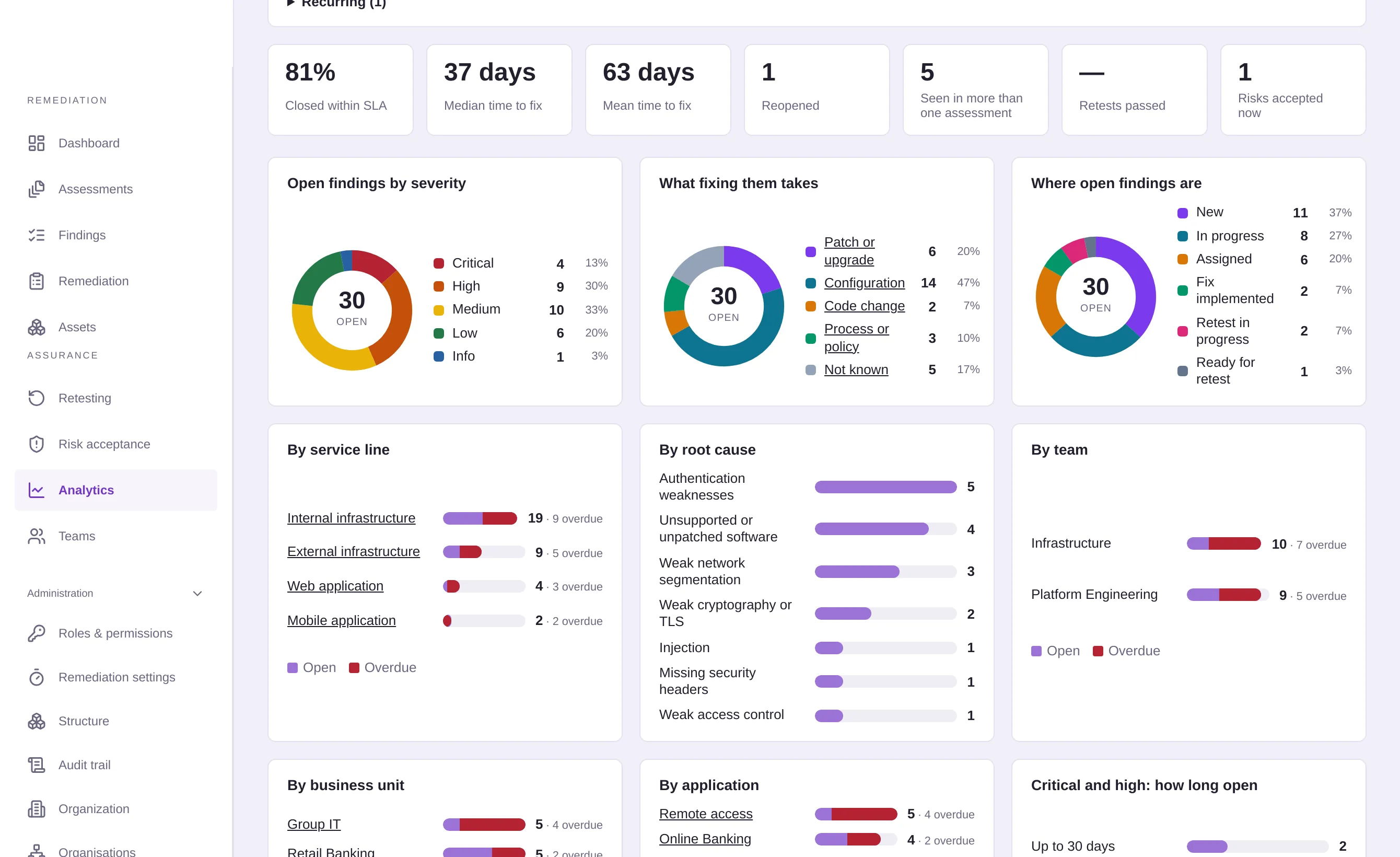
External, internal, web, cloud and mobile tests side by side, compared by service line, team and root cause.

Chase less

Owners and deadlines by default

SLAs per severity set every deadline, and the Remediation page shows who has what and what is slipping.

Report up

Are we getting better?

Time to fix, SLA compliance and what came back since the last assessment, worked out from the findings themselves.

Questions

Before you ask.

Do we need to change our pentest provider?

No. PenVanta Remediation reads the reports your providers already send: PDF and Word reports, CSV exports, and exports from Nessus, Burp Suite, Nuclei, testssl.sh, Prowler, Semgrep, WPScan and PingCastle. Column matches are remembered for each provider, so their next file fills itself in.

How does importing a pentest report work?

Upload the report, up to 25 MB. PenVanta reads its text, leaves out page headers and footers, summaries, methodology and appendices, and proposes each finding with its severity, affected hosts and the page it came from. You review and correct the proposals, and nothing is created until you confirm. Scanned PDFs without text cannot be read.

What happens when next year’s test reports the same issue?

It is offered as the finding you already have, matched on title words, CWE, shared assets and the provider’s own reference. Confirm it and the finding gains the new assessment in its history. If it had been fixed, it is reopened, so you can see what came back.

Does PenVanta Remediation use AI?

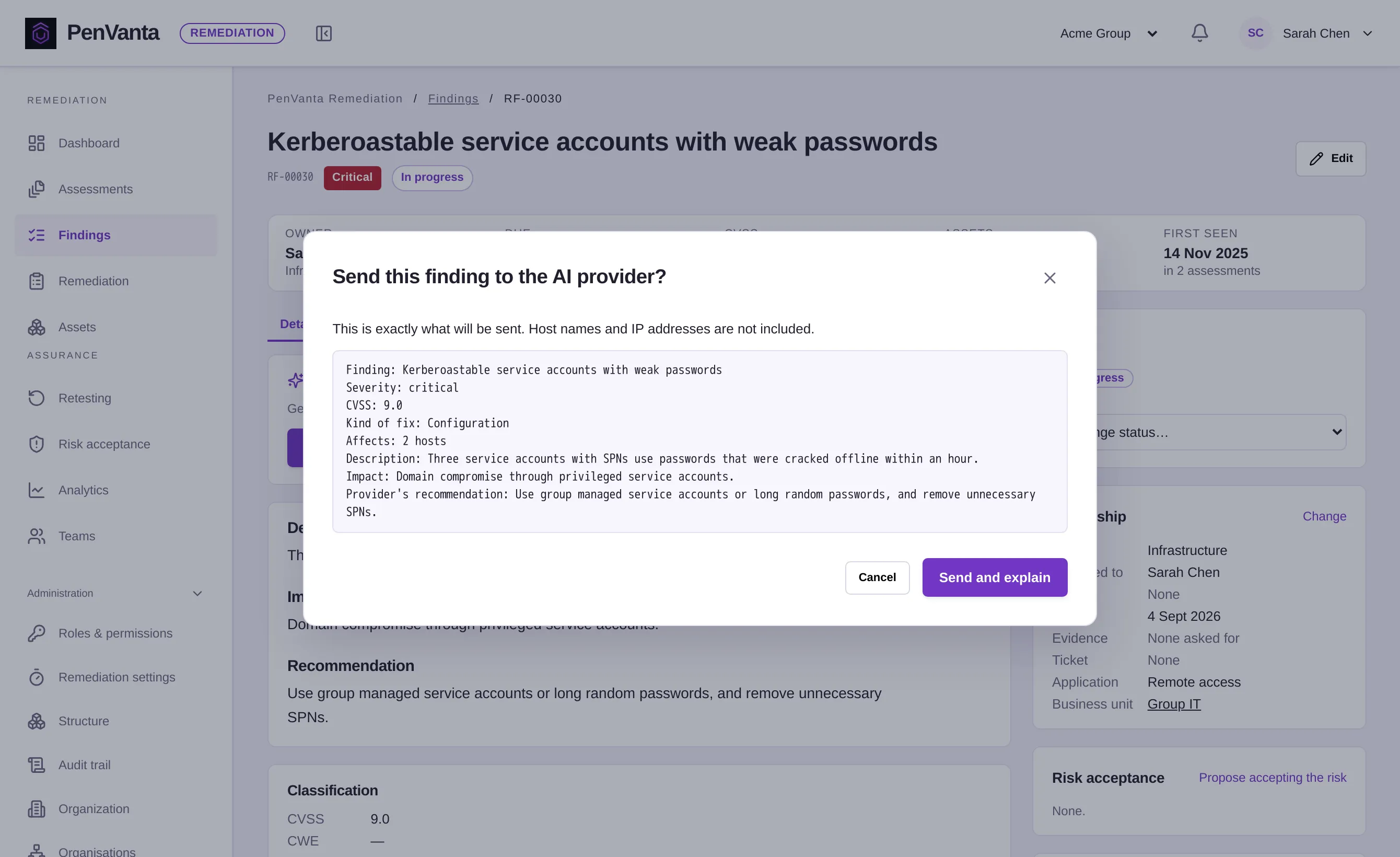
Only if your administrator chooses a provider: OpenAI, Anthropic, or Ollama on your own network. It can then read reports with unusual layouts when someone asks for that import, and explain how to fix a finding. Each screen shows what will be sent first, and host names and IP addresses are not sent for fix guidance. AI can make mistakes, so its answers are suggestions for a person to check.

Can it create tickets in Jira or ServiceNow?

Not yet. Ticketing integrations are planned. Until then each finding has a ticket reference field, so your team can record where the work is tracked.

Where is our data kept?

With PenVanta Dedicated, on your organisation’s own private server and file storage, run by us in the region you choose. If you self-host, on your own infrastructure. Either way nothing is shared with other customers.

Can we take our records with us?

Yes. Export everything gives you one archive of every record, the audit trail and every evidence file, and the findings register is available as CSV at any time.

Next step

Bring last year’s pentest report.

We’ll import a sanitised report with you and show how its findings become owned, tracked and retested work, and what next year’s assessment will tell you.

  • Reports from any provider
  • Nothing created until you review it
  • No passwords, anywhere
  • Your records exportable at any time